Building a great app is only half the job. If nobody can find it, it won't grow. App store optimization (ASO) is the practice of improving your app's visibility in the App Store and Google Play, and persuading the people who find it to install it. In this guide from Crayola Digital, we explain how ASO works, what influences ranking and conversion on iOS and Android, and the step-by-step process we use to help apps grow.
What Is App Store Optimization?
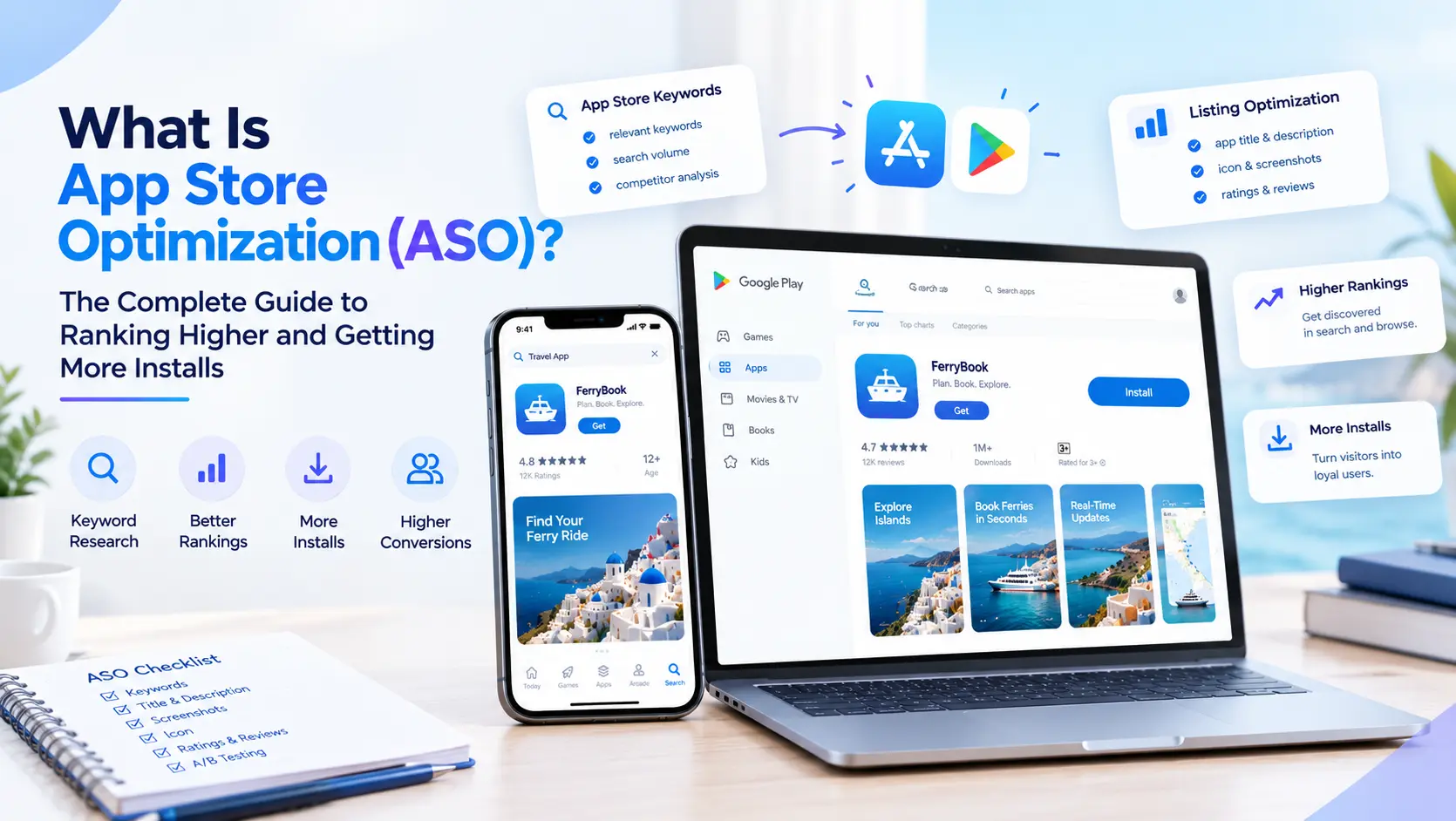
App store optimization is the process of optimizing an app's store listing and signals so it ranks higher in store search and category lists, and converts more of its visitors into installs. You can think of it as SEO for apps.
ASO has two connected goals:
- Visibility (discoverability): appearing for the searches your audience makes, and in browse and recommendation surfaces.
- Conversion: turning listing views into downloads with a persuasive icon, screenshots, video, description and ratings.
Improving only one of these leaves growth on the table. High rankings with a weak listing waste traffic, and a great listing that nobody sees never gets the chance to convert.
Why ASO Matters
- Store search is a major discovery channel.
Many people find new apps by searching in the store, so ranking for relevant terms puts you in front of high-intent users. - Organic installs lower your blended cost.
Every install you earn without paying reduces the average cost of acquiring a user. - It supports paid marketing.
A listing that converts well makes every ad dollar go further, because more visitors turn into installs. - It compounds.
Ranking and conversion improvements build on each other over time.
How ASO Works: Visibility and Conversion Factors
Neither Apple nor Google publishes its full ranking formulas, so ASO relies on well-understood factors plus continuous testing. In general, store algorithms consider:
Keyword Relevance
Terms in your metadata tell the store what your app is about and which searches it should appear for.
Install Volume and Velocity
Apps that earn more installs, especially recent ones, tend to be treated as more relevant and popular.
Conversion Rate
If many people who see your app install it, the store gets a signal that it satisfies searchers.
Ratings and Reviews
Both the average rating and the number of ratings influence conversion and are widely believed to affect ranking. Recent reviews matter for user trust.
Engagement and Retention
Stores want to recommend apps people keep using. Strong retention and low uninstall rates are positive signals, and on Google Play, app quality and technical performance (crash and ANR rates, for example) matter as well.
Update Frequency and App Quality
Regular updates show an app is maintained, while poor performance can hurt visibility.
App Store (iOS) vs Google Play: Key ASO Differences
A modern fleet platform includes a web dashboard for managers, a driver mobile app and hardware or smartphone-based GPS data, all analyzed by AI.
| Element | Apple App Store | Google Play |
|---|---|---|
Title | Up to 30 characters, heavily weighted for keywords | Up to 30 characters, heavily weighted |
Subtitle / short description | Subtitle, up to 30 characters, indexed | Short description, up to 80 characters, indexed |
Keyword field | Hidden 100-character keyword field | None |
Long description | Not indexed for search on iOS, but important for conversion | Up to 4,000 characters and indexed, so keyword placement matters |
Creatives | Icon, screenshots, app preview video | Icon, screenshots, feature graphic, promo video |
Listing variants | Custom product pages | Custom store listings |
Testing | Product page optimization (native A/B tests) | Store listing experiments |
The practical takeaway: on iOS, you must be strategic with a very small amount of indexed text. On Google Play, your description is indexed, so natural keyword use throughout it helps, but stuffing keywords hurts readability and can violate store policy.
Step-by-Step ASO Strategy
Step 1: Define Your Audience and Positioning
Start with who the app is for, what problem it solves and how you are different. Your listing should communicate this within seconds.
Step 2: Do ASO Keyword Research
Keyword research is the foundation of ASO. Here is a simple process:
- Brainstorm seed terms based on your app's features, user problems and category.
- Study competitors. See which terms their titles and subtitles target, and which keywords they rank for.
- Expand with tools. Use ASO tools and store search suggestions to find related and long-tail terms.
- Evaluate each keyword on relevance, search popularity and difficulty. Prioritize keywords that are highly relevant and realistically attainable.
- Group keywords into themes and map them to metadata fields.
A common mistake is chasing high-volume terms you can't rank for. Often, a cluster of specific, relevant long-tail keywords brings more qualified installs.
Step 3: Optimize Your Metadata
- Title: include your brand plus your most important keyword, while staying readable.
- Subtitle or short description: communicate your core benefit and add secondary keywords.
- iOS keyword field: use commas, no spaces, avoid repeating words already in your title or subtitle, and skip your own brand name.
- Google Play description: open with a strong, benefit-led paragraph, use keywords naturally and structure it for easy reading.
Write for people first. Repetitive keyword lists reduce conversion and can violate store guidelines.
Step 4: Optimize Your Creatives
Most users decide within seconds, usually from the icon and the first few screenshots.
- Icon: simple, recognizable, distinct from competitors.
- Screenshots: lead with your strongest benefit, use short captions and show the product in use.
- Preview video: show the core experience in the first few seconds, since many viewers watch without sound.
- Localization: adapt visuals and text for each market.
Step 5: Use Custom Product Pages and Store Listings
Different audiences respond to different messages. Custom product pages (iOS) and custom store listings (Google Play) let you tailor your listing for specific campaigns, keywords or user segments, so a visitor from a fitness ad sees fitness-focused screenshots and copy.
Step 6: Build Ratings and Reviews
- Ask for a rating after a positive moment, such as completing a task, not on first launch.
- Use the platform's native review prompt where available and follow its guidelines.
- Respond to reviews, especially negative ones. A thoughtful reply can win a user back and shows prospects you listen.
- Route unhappy users to support before they leave a public review.
Never buy or fake reviews. It violates store rules and can get your app removed.
Step 7: Localize
Localizing metadata and creatives for additional markets can open traffic in regions where competition is lower. Translation alone isn't enough. Research how people in each market search.
Step 8: Test, Measure and Iterate
ASO is not a one-time task. Use native A/B testing tools to test one change at a time, give each test enough time and traffic to reach a reliable result, and track outcomes over weeks, not days.
Key ASO Metrics to Track
- Impressions: how often your listing appears.
- Product page views: how many people open your listing.
- Conversion rate: the share of page views that become installs.
- Keyword rankings: your position for target terms.
- Organic vs paid installs: how much growth is earned.
- Ratings and review volume: average score and recent trends.
- Retention and uninstall rate: whether the users you attract stay.
Common ASO Mistakes to Avoid
- Keyword stuffing. It hurts readability, conversion and compliance.
- Ignoring conversion. Rankings alone don't create installs.
- Copying competitors blindly. Learn from them, but position for your own audience.
- Changing everything at once. You can't tell what worked.
- Neglecting ratings. A low rating undermines every other effort.
- Setting and forgetting. Competitors, trends and store features change constantly.
- Attracting the wrong users. Misleading creatives raise installs briefly, then raise uninstalls and bad reviews.
ASO vs App Marketing: How They Work Together
ASO improves what happens inside the store. App marketing, which includes paid user acquisition, creative advertising, attribution and retention campaigns, brings traffic to your listing and keeps users engaged afterward. They reinforce each other: a well-optimized listing makes paid campaigns cheaper, and paid traffic can generate install velocity and data that support organic growth.
If you want both handled by one team, explore our [app store optimization services and app marketing services](/app-store-optimization-services/).
When to Hire an ASO Agency
Doing ASO in-house is possible, but an agency helps when you:
- Lack the time, tools or experience for continuous keyword and creative testing
- Are launching a new app and need a strong start
- Have plateaued downloads or rising acquisition costs
- Manage multiple apps or markets
- Want ASO and paid campaigns coordinated
Choose a partner who is transparent about methods, reports on installs and conversion, and does not guarantee rankings or download counts, since the stores control their own algorithms.
Frequently Asked Questions (FAQs)
ASO is the process of improving an app's visibility in app store search and its listing conversion rate, using keywords, metadata, creatives, ratings and testing.
Conversion changes from new creatives can show results within weeks. Keyword ranking improvements typically build over two to three months or longer, depending on competition.
Yes. Each store indexes different fields, has different character limits and offers different testing tools. Apple has a hidden keyword field, while Google Play indexes the long description.
No. ASO drives organic growth and improves paid performance, while paid campaigns add scale and speed. The two work best together.
Review keywords and performance monthly, test creatives continuously, and update metadata when you add features, enter new markets or see ranking shifts.
Ratings strongly influence conversion and are widely considered a ranking factor. A better average rating and more recent reviews build user trust.
Cost depends on whether you need a one-time audit, a monthly retainer or a full growth program. Contact Crayola Digital for a custom estimate.
Ready to Grow Your App Downloads?
Strong ASO turns your store listing into your best acquisition channel. Crayola Digital offers audits, keyword optimization, creative testing and full-funnel app marketing for iOS and Android.
Also explore our Logistics software Development
Contents
Need help building your app?
Book a free consultation with Crayola Digital and get a custom fleet tracking roadmap.